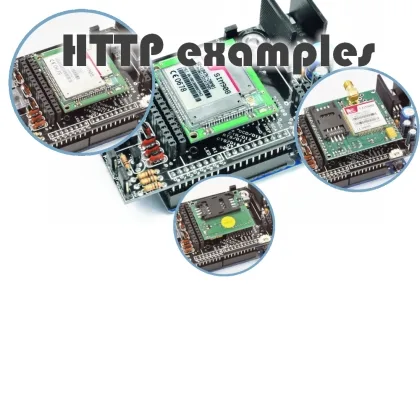
The GSM/GPRS & GPS Shield: some Http connections examples
After having shown several examples regarding the use the GSM/GPRS & GPS shield with calls and text messages we are now going to present some applications that involve GPRS data.
Thanks to the inet.h class the shield can indeed connect to the internet and its various applications. We ‘ll see how to use the Arduino as a client requesting a web page, or as a server for receiving commands and, finally, how to send emails
EXAMPLE 1
Before describing this example, let’s recall what happens when you open the browser and request a page.
As a result of this, the browser establishes a TCP/IP connection with a web server (that can be identified by its IP address or by a string such as www.open-electronics.org thanks to the DNS service) and sends a request for the related page. This request is called ‘http request’ contains basic information as well as the path where you the page that we want to display is stored. Usually the path coincides with everything that comes after the domain suffix (in the case you wanted to access our about page, the path is www.open-electronics.org/about).
The server receiving the request checks for the page you requested and returns a first response with the outcome of the research (in case of page not found you have the classic ‘404 Error‘) and further information such as the GMT time set on the server or the last change to the page.
Following this response, if the research had positive results, the server will pass on the HTML code of the browser to display: the browser will then interpret the code and generate the page as we are used to see that.
You can replicate this process (except for the HTML rendering) thanks to our shield and its associated library.
In this sketch we will deal with a specific page request (Google’s search engine home), with analyzing the response, and extrapolate GMT.
Let’s look at the code.
For the sake of simplicity we chosen to include the data connection activation phase in the sketch setup.
Such a choice is not mandatory, but was preferred for clarity reasons, emphasizing the real part of the program within the loop function.
So in the setup, after initializing the shield, it will run the initialization routine of the mobile data network. For this operation, we simply invoke the following function:
inet.attachGPRS(char* APN, char* username, char* password)
In the examples you will find the function setup as if you were using the Italian operator called Wind.
Also the connection request to the server, being performed only once, has been included in the setup.
That call asks the server the page on the path defined by the third parameter through the specified port. The last two parameters are used to store inside the string passed with the fourth parameter, the entire response or any part of it, the length of which is defined by the last parameter.
The function returns the number of characters stored.
inet.httpGET(“www.google.com”, 80, “/”, msg, 50);
In this way, the first 50 characters of the answer will be saved in the msg variable. This has no purpose in this example and is performed only for demonstration purposes. You can set this parameter to 0.
It’s important the portion of the text that we want to analyze (the one containing the date and time) does not fall between characters saved, because we will control the remaining ones. In this case the first 50 characters are used by the server to communicate further information.
Let’s now try to understand what happens to the remaining part of the response that is not saved.
The library involves the use of a buffer of a size, defined within the library, that can be set at will. This buffer is used to temporarily store any communication from the SIM900 on the serial software port module, including server responses. Through the gsm.read () command you can read (if any) the first data (the oldest in the arrival order) stored on the buffer.
If the buffer is empty, it will return the 0 value (note that it is different from the value ‘0’ in ASCII encoded with the number 48).
So at each loop cycle we will read the first value in the buffer.
data=gsm read();
if(data>0){ […] }
Once verified that within the given variable a non-zero exists, we will proceed with the search for the string. The string containing the date and time is preceded by the text “Date:“. We’ll then take care of finding the value, and once identified, store the remaining characters, up to the ‘n’ character .
The string recognition algorithm is very simple: each character is compared with the first of the searched string (in this a capital D), and in case of correspondence we increasing a counter variable, and communicate that to the next iteration of the algorithm that will no longer compare with the first character, but with the second instead. Similarly, for the next, until the number of positive matches (contained within the varaiabile counter k) is not equal to the length of the word you’re waiting for.
In case of a different intermediate character, the algorithm will reset starting again to search for the first value of the expected string. If the required word is found, the algorithm is reset and a boolean variable named found, is set to true. At this point in time we just have to print to screen all subsequent values of the response, until ‘n’ (end of the line).
#include "SIM900.h"

#include <SoftwareSerial.h>

#include "inetGSM.h"

InetGSM inet;

int k=0;

int j=0;

char str[]="Date: ";

char msg[50];

boolean found=false;

char data;

int numdata;

char inSerial[50];

int i=0;

boolean started=false;

void setup()

{

//Serial connection.

Serial.begin(9600);

if (gsm.begin(2400)){

  Serial.println("nstatus=READY");

  started=true;

}

else Serial.println("nstatus=IDLE");

if(started){

  if (inet.attachGPRS("internet.wind", "", ""))

    Serial.println("status=ATTACHED");

  else Serial.println("status=ERROR");

  delay(1000);

  numdata=inet.httpGET("www.google.com", 80, "/", msg, 50);

}

};

void loop()

{

data=gsm.read();

if(data>0){

  //Serial.print(data);

  if(data==str[k]){

    k++;

    if(k+1==strlen(str)){

      found=true;

      msg[0]='';

      j=0;

    }

  }else{

    k=0;

  }

}

if(found){

  if(data!='n'){

    if(data>0){

      msg[j]=data;

      j++;

    }

  }else{

    msg[j]=data;

    msg[j+1]='';

    found=false;

    Serial.print("DATA: ");

    Serial.println(msg);

  }

}

};
EXAMPLE 2
Often, webpages have forms to allow the user to send data through the browser. This data can be sent clear or encrypted for security issues . The simplest methods for sending clear text are GET and POST.
GET method uses the path for sending data. An example can be trivially searching on a search engine. The base address of Google is www.google.it (note that for the main pages there is no path to specify), but search Urls like this https://www.google.it/search?q=open-electronics&oq=open-electronics&ie =UTF-8 contain, within the path, the word we searched for:”open-electronics.”
This is because the GET method passed this parameters to the page of the server that performs the search through the path.
Nothing is easier than to carry out a web research from the shield: using the same function previously presented and suitably choosing the correct path.
inet.httpGET(“www.google.com”, 80, “/search?q=open-electronics&oq=open-electronics&ie=UTF-8”, msg, 50);
The POST method is designed to avoid communicating data in visible manner by hiding the parameters into the header of the HTTP request. HttpPost function belonging to the InetGSM class that will do this:
inet.httpPOST(char* server, int port, char* path, *char param, *char risposta, int len_risp);
As you can see it very similar to GET: in addition you just specify the parameters with a specific string and these will not appear in the link. Let’s show how to make a program that communicates data via POST method to a PHP web page on a server that provides an answer.
First, let’s see the PHP code of the serving page. Not being a topic directly related to this blog we’ll not describe it in details. Its purpose will be to receive the data, such as name and age, using the POST method and generate a personalized welcome message.
|
<?php if( $_POST[“name”] || $_POST[“age”] ) { echo “Welcome “. $_POST[‘name’]. “<br />”; echo “You are “. $_POST[‘age’]. ” years old.”; exit(); } ?> <html> <body> <form action=”<?php $_PHP_SELF ?>” method=”POST”>
Name: <input type=”text” name=”name” /> Age: <input type=”text” name=”age” />
<input type=”submit” /> </form> </body> </html> |
Now, starting from the previous example, we just have to replace the function for connecting to the server and remove the part for date and time search. Once the sketch is loaded, we can see from the Arduino serial output the following print:
“Welcome Marco <br /> You are 24 years old.“
The <br/> characters are part of the HTML code and are interpreted by the browser as a ‘head’. The library does not provide for the interpretation of the HTML code, then, on the serial port you’ll see all the code for the page. Such an application is useful when you want to monitor the course of remote sensors by saving the measurements at predetermined intervals. The use of a server for such a task is very adequate and of simple configuration. Thanks to these examples you can pass parameters to the sever in the way you prefer and develop a variety of applications: from simple data collection to tweeting.
#include "SIM900.h"

#include <SoftwareSerial.h>

#include "inetGSM.h"

InetGSM inet;

int k=0;

int j=0;

char msg[150];

boolean found=false;

char data;

int numdata;

char inSerial[50];

int i=0;

boolean started=false;

void setup()

{

Serial.begin(9600);

Serial.println("GSM Shield testing.");

if (gsm.begin(2400)){

  Serial.println("nstatus=READY");

  started=true;

}

else Serial.println("nstatus=IDLE");

if(started){

  if (inet.attachGPRS("internet.wind", "", ""))

    Serial.println("status=ATTACHED");

  else Serial.println("status=ERROR");

  delay(1000);

  numdata=inet.httpPOST("www.evildeejay.it", 80, "/test/test.php", "name=Marco&age=24",msg, 50);

}

};

void loop()

{

serialswread();

};

void serialswread(){

gsm.SimpleRead();

}
SOFTWARE NEWS
With the latest version of the library, version 3.05 at the time of this writing, several new features have been added including some of considerable importance with regards to sending emails.
Through these new functions, you can send email using most email providers. Having all based on Arduino, a device with limited resources, we support all providers that do not require a secure connection using SSL.
Sending email requires two functions. The first allows, once the parameters of our email accounts are set, to login and to initialize a message defining the recipient and subject.
Following this transaction, the SimpleWrite function helps define the text body.
Once the body is closed by calling the function closemail, you may send the email.
Example:
inet.openmail(“smtp.email.it”, “userbase64”, “passbase64”, “prova@email.it”,” info@open-electronics.org”, “This is the object”);
gsm.SimpleWrite(“This is the body”);
inet.closemail();
|
int openmail(char* server, char* loginbase64, char* passbase64, char* from, char* to, char* subj) |
To initialize an email. The first parameter is a string containing the smtp server you will use to send the message. Following are the username and password in base64. From field is usually required to be the owner of the email that we are using. The last two parameters are the intended recipient and the subject of the message. Once you call this function, the module will wait for the body of the message until the function is called to close and send. On success, the function returns 1, otherwise 0. |
inet.openmail(“smtp.email.it”, “userbase64”, “passbase64”, “prova@email.it”,” info@elettronicain.it “, “Questo è l’oggetto”); |
|
int closemail() |
After typing the message text, this function is called to close the email and send it. If successful, returns 1, otherwise 0. |
inet.openmail(“smtp.email.it”, “userbase64”, “passbase64”, “prova@email.it”,” info@elettronicain.it “, “Questo è l’oggetto”); gsm.SimpleWrite(“Questo è il corpo del messaggio”); inet.closemail(); |
EXAMPLE 3
Let us now see a simple example that uses the new functions. We will use this example to show some other functions from the library for those who missed the first few posts where the shield was presented. For this program sketch we will establish a basic communication with the module so you can communicate with it simply through the Arduino Serial Monitor. For this purpose it is necessary that each command sent on the serial hardware from the PC to the Arduino is forwarded to the software serial port. The latter communicates with the Arduino, and vice versa for the answers.
For this you simply insert in the loop the two functions:
serialhwread ();
serialswread ();
The first ensures any data read from the serial hardware (the one between PC and Arduino) is forwarded to the SIMCOM module, the second ensures also the reverse is true: every character sent from the module to the Arduino is forwarded to the serial hardware port.
To do a simple test is sufficient, once the sketch is loaded and started, and the initialization phase is completed, to send the “AT” command and wait for the “OK” response from the module. By this way you can communicate directly with the module with AT commands.
Sometimes you need to send a terminator character, which can not be sent via serial, then within the function serialhwread () there is a control that recognizes the “/END” command and sends the terminator character to the module.
We will use this commands interpretation system to send emails.
Indeed, in the case a “MAIL” message is sent from the PC over serial, Arduino will send an email with the pre-set parameters. It is left to the reader, if interested, to modify one of the examples we’ve seen in previous episodes to automatically send an email when a certain condition is verified on the inputs of Arduino inputs. For the base 64 encoding and decoding of username and password you can use one of several tools available from on the internet. One of the many is http://www.base64decode.org/ to convert an ASCII strings in base 64.
#include "SIM900.h"

#include <SoftwareSerial.h>

#include "inetGSM.h"

InetGSM inet;

int k=0;

int j=0;

char msg[150];

boolean found=false;

char data;

int numdata;

char inSerial[50];

int i=0;

boolean started=false;

void setup()

{

Serial.begin(9600);

Serial.println("GSM Shield testing.");

if (gsm.begin(2400)){

  Serial.println("nstatus=READY");

  started=true;

}

else Serial.println("nstatus=IDLE");

if(started){

  if (inet.attachGPRS("internet.wind", "", ""))

    Serial.println("status=ATTACHED");

  else Serial.println("status=ERROR");

  delay(1000);

}

};

void loop()

{

serialhwread();

serialswread();

};

void serialhwread(){

i=0;

if (Serial.available() > 0){

  while (Serial.available() > 0) {

    inSerial[i]=(Serial.read());

    delay(10);

    i++;

  }

  inSerial[i]='';

  if(!strcmp(inSerial,"/END")){

    Serial.println("_");

    inSerial[0]=0x1a;

    inSerial[1]='';

    gsm.SimpleWriteln(inSerial);

  }

  //Send a saved AT command using serial port.

  if(!strcmp(inSerial,"EMAIL")){

    inet.openmail("smtp.email.it", "userbase64", "passbase64", "prova@email.it"," info@elettronicain.it ", "Questo è l’oggetto");

    gsm.SimpleWrite("MESSAGGIO DI PROVA");

    inet.closemail();

  }

  else{

    Serial.println(inSerial);

    gsm.SimpleWriteln(inSerial);

  }

  inSerial[0]='';

}

}

void serialswread(){

gsm.SimpleRead();

}