
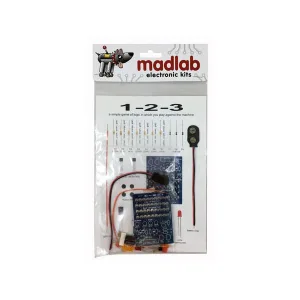
MADLAB Whack-a-Mole Educational Soldering Kit
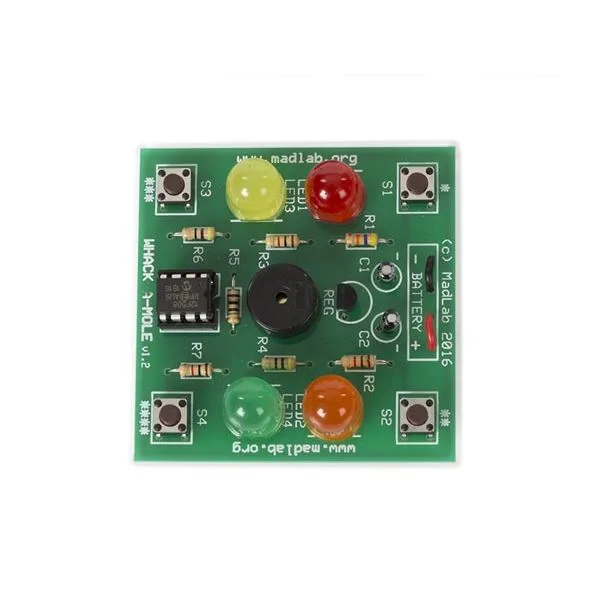
SKU 8220-MLP111ITEAN 5410329685041Item type: AssembledGames
Description
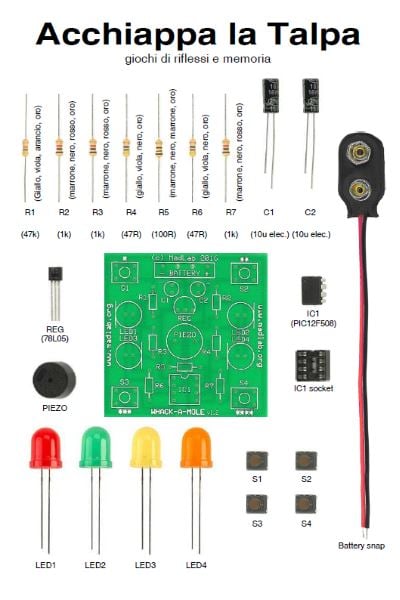
| Educational kit inspired by the classic whack-a-mole game. A good way to get to know the components, to learn how to solder and finally to try the games on offer: memory ( repeating the right LED lighting sequences ) and reflexes ( pressing the matching buttons quickly ). Battery powered, with a standby function. | |
  |
|
| How to play Whack-a-Mole | |
|
Whack-a-Mole is a game that puts your reflexes to the test. Press S1 (*) for the standard version of Whack-a-Mole. In this version a light comes on at random and you have to press the button nearest to it as quickly as you can. If you press the wrong button or take too long, you lose (the flashing lights will tell you). Hold out as long as you can: the game keeps getting faster and you have less and less time to answer. Press S2 (**) for a harder version of the game. In this version two lights sometimes come on at the same time, so you have to press two buttons together. Hold out as long as you can. There is also another game, called Moley Says. This one is a test of how good your memory is. Press S3 (***) for the standard version of Moley Says. A random sequence of lights is shown and you have to repeat it by pressing the matching buttons in the same order (once the sequence has finished). A double flash of the lights means you entered the sequence correctly. If you make a mistake or take too long, you lose. The lights flashing alternately tell you so. Try to keep the sequences going: they get harder as the game goes on. (an extra flash means the sequence has just got longer). There is a harder version of Moley Says too, reached by pressing S4 (****). In this version two lights sometimes come on together, and when you repeat the sequence you have to press the two buttons at once. Take care not to touch the back of the board with your fingers while playing, to avoid short circuits and faults. To save battery charge, Whack-a-Mole goes into standby when it has not been used for a while (it is still worth taking the battery out when you will not be using it for a long time). Press any key to bring it out of standby |
Technical details
| Power supply | 9 V battery (not included) |
|---|---|
| Dimensions | 56 x 56 x 18 mm |
Related products
-
 Games
Games -
 Games
Games -
 Games
Games -
 Games
Games -
 Games
Games -
 Games
Games -
 Games
Games -
 Games
Games