
GSM Gate Opener
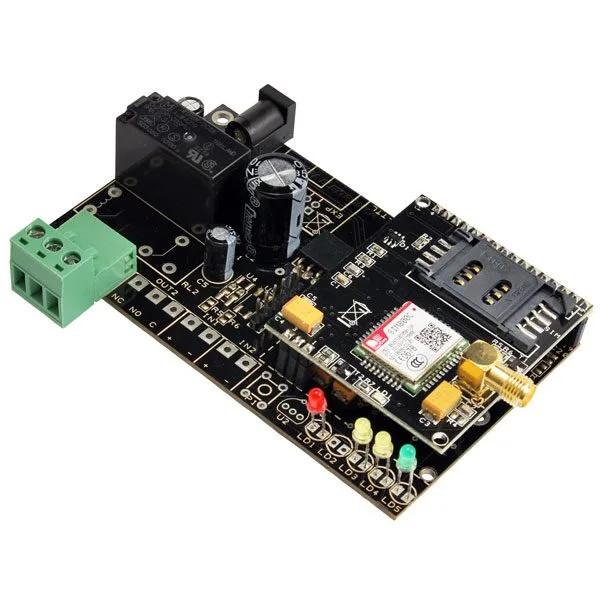
SKU 8100-TDG134EAN 8219671004640Item type: AssembledGSM/GPRS
Description
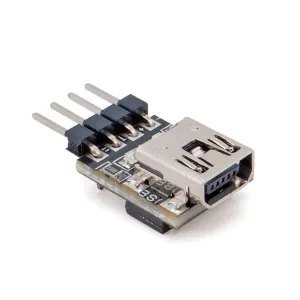
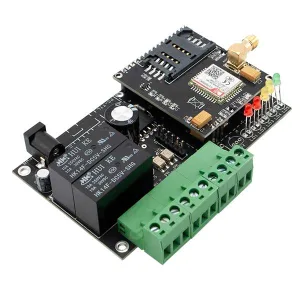
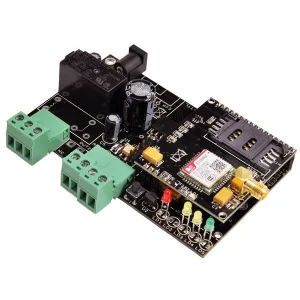
GSM control system for use with the electric gate opening system. The gate can be operated by calling the SIM card number inserted in the GSM unit from your mobile phone. The call is free of charge, and the device will send a command to the gate control unit, which will open or close it. Remote user management via SMS (authentication password required) or locally via PC (through the optional FT782M interface) and dedicated configuration software. Power supply from 9 to 32 Vdc. The package includes: the device assembled and tested with the GSM module with SIM800C and antenna (8170-ANTGSMSTL-S01).
The device uses only the GSM network; therefore, since it cannot work on the UMTS network, it is not compatible with SIM cards that work only on that network. It can work without problems with SIM cards from Wind, TIM, Vodafone, but cannot be used with SIM cards from 3.
Typical applications
- In SMS/DTMF mode:
– Burglar alarm systems for residential and industrial buildings
– Burglar alarm systems for vehicles
– Control of air conditioning/heating systems
– Control of pumps and irrigation systems
– Control of industrial systems
Technical specifications
- Frequency band:
– Quad-band: GSM 850, EGSM 900, DCS 1800, PCS 1900. The 4 frequencies can be searched automatically or set via the AT command “AT+CBAND”.
– Compliant with GSM Phase 2/2+ - Transmission power:
– Class 4 (2 W) at GSM 850 and EGSM 900
– Class 1 (1 W) at DCS 1800 and PCS 1900 - Power supply: 9 to 32 Vdc (1 A); or a lithium-ion battery of 800÷1,000 mAh
Documentation and useful links
- For drivers (Driver USB.zip) – For the updated driver version http://www.ftdichip.com/Drivers/VCP.htm
- Driver installation procedure for Windows XP and Windows 7
- For the software (Configuratore TDG.zip Multi Language)
- Enable administrator control in Windows 7/8/10
FAQ
- The device does not respond to messages. When sending the message, the LEDs do not indicate receipt of the message
Check that there is credit on the remote control SIM. If there is credit, disable RCS chat from your smartphone. To disable RCS chat, go to “Messages > Message Settings > RCS Chat” (if this menu is not found, refer to your phone’s guide to disable the function).
Technical details
| GSM/GPRS module | SIM800C |
|---|---|
| Quad-band | GSM 850, EGSM 900, DCS 1800, PCS 1900 |
| GPRS connectivity | multi-slot class 12 (default) |
You may also like…
-
 Interface converters
Related products
-
 GSM/GPRS
 -
 GSM/GPRS
 -
 GSM/GPRS
 -
 GSM/GPRS
 -
 GSM/GPRS
 -
 Other security
 -
 Gas & smoke detectors
 -
 GSM/GPRS