
DC/DC Step-Down Converter from 6-40V to 0-36V 2A
SKU 2846-LEDSTEPDCDCEAN 8219671081696Output voltage: Manually adjustableItem type: AssembledConversion type: Step-downDC/DC converters
Description
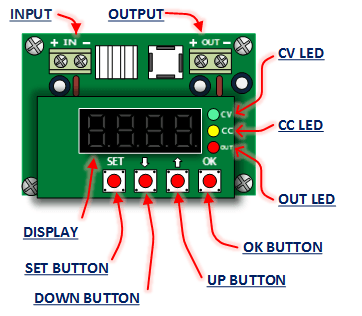
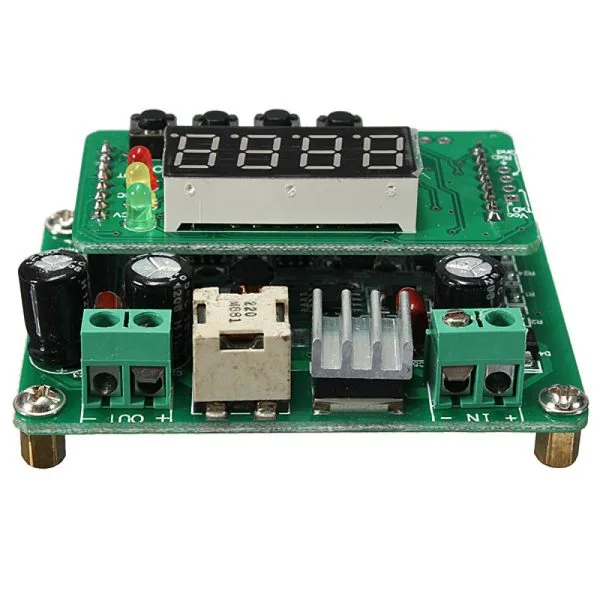
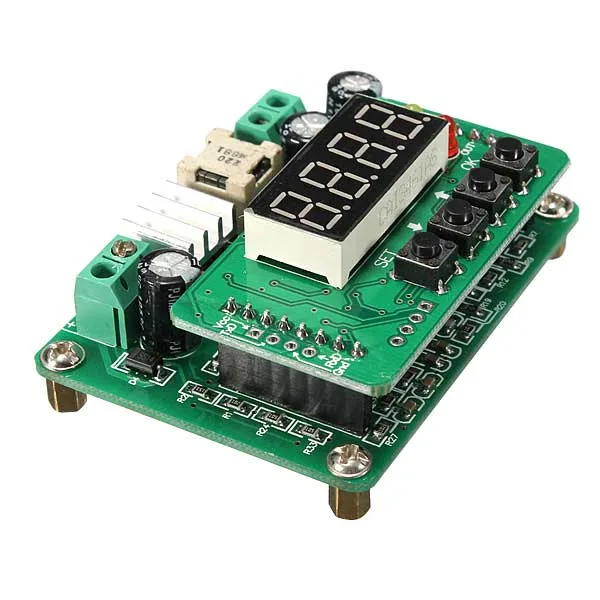
DC/DC Step-Down converter capable of converting a continuous input voltage between 6 and 40 volts into a continuous output voltage from 0 to 36 volts, with a maximum current of 2 A. It is possible to store up to 10 parameters (voltage, current) and recall them at any time. It features a 4-digit LED display on which voltage, current, power, and other parameters can be viewed in real time. There are also 4 buttons for setting the output voltage and current, and status LEDs.
Usage
- Simple:
After powering the converter, the display will show the output voltage; use the up and down arrow buttons to set the desired output voltage. Pressing “SET” will display the output current; use the up and down arrow buttons to set the desired current, then press the OK button to activate the output or SET to deactivate it or reset the values.
- Complete (3 functions):
Procedure: without power, press and hold the “OK” button, then apply power; the display will show “-0” / “-1” / “-2”; release the “OK” button when “-0” is displayed to activate Function 0, “-1” for Function 1, or “-2” for Function 2. After releasing the “OK” button, the display will show “–y-” to confirm the function.– Function 0: after power is applied, the output will be activated automatically.– Function 1: allows saving (SA) and recalling (LO) the output voltage and current. It has a maximum of 10 memory locations.
(1) Press the “SET” button to display the voltage, set the desired value, press “SET” to confirm.
(2) Press the “SET” button to display the current, set the desired value, press “SET” to confirm.
(3) Press the “SET” button to save to the desired memory location “SA-0”, “SA-1”, etc., and confirm by pressing “OK”.
(4) Press the “SET” button to recall the value saved in a memory location and press “OK”.– Function 2: after activating the output, pressing the OK button will automatically display parameters such as voltage, current, power, etc.
Technical specifications
- Voltage regulation / display resolution: 0.01 V
- Current regulation / display resolution: 0.001 A
- Input reverse polarity protection: No, if necessary use a diode
Technical details
| Input voltage | from 6 Vdc to 40 Vdc |
|---|---|
| Output voltage | from 0 to 36 Vdc |
| Output current | from 0 to 2 A |
| Conversion efficiency | up to 92% |
| Ripple | 50 mV |
| Operating temperature | from -40°C to +85°C |
| Operating frequency | 150 kHz |
| Connections | screw terminals |
| Dimensions (mm) | 66x50x21 |
| Weight | 44 grams |
Related products
-
 DC/DC converters
 -
 DC/DC converters
 -
 DC/DC converters
 -
 DC/DC converters
 -
 DC/DC converters
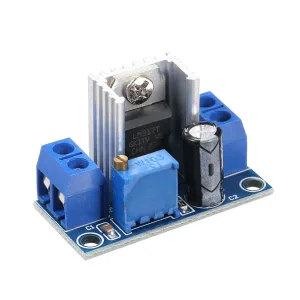
DC/DC Module with LM317 Voltage Regulator – Adjustable Output 1.2-37V
€2.30excl. VAT€2.80incl. VAT -
 DC/DC converters
 -
 DC/DC converters
 -
 DC/DC converters