
IN/OUT shield for Arduino – 6 relays, 6 analogue and digital inputs
SKU 8220-WPK05EAN 5410329556778Item type: Kit, Shields & add-onsArduino, Arduino compatible
Description
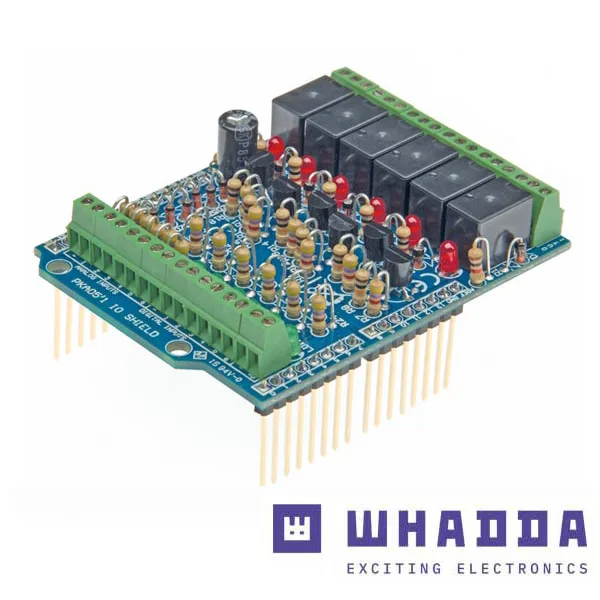
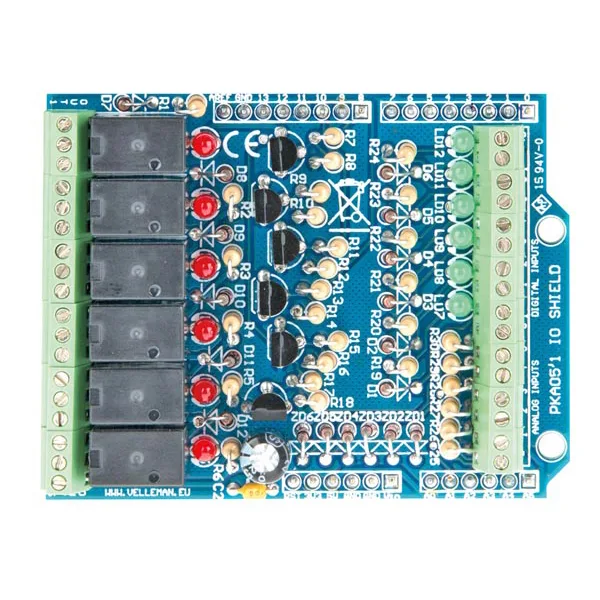
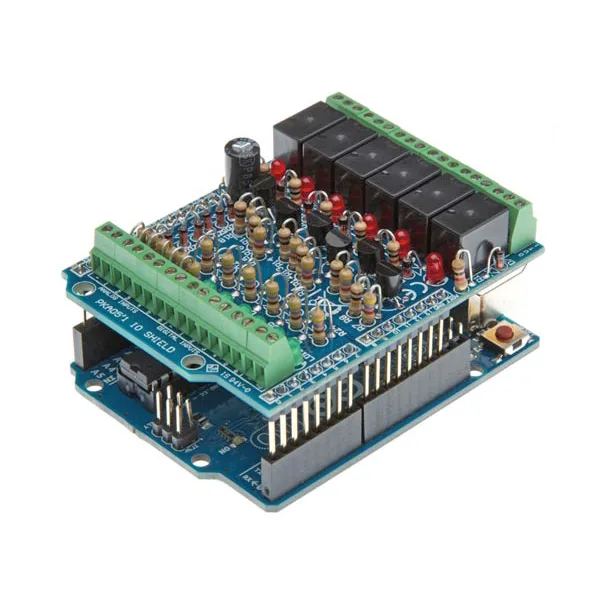
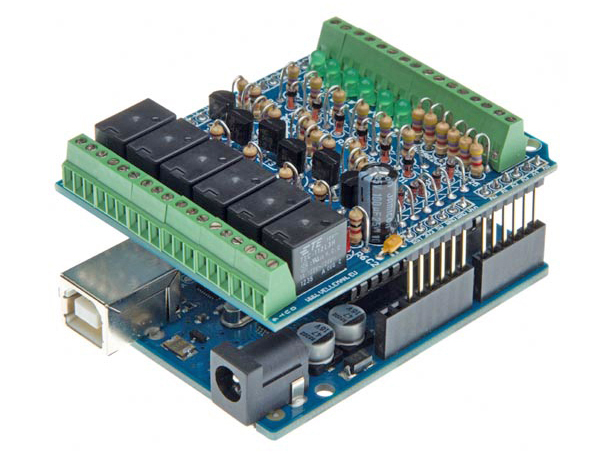
| The In/Out Shield for Arduino is a module that lets Arduino control 6 devices using relays and read the state of 6 analogue and 6 digital inputs. Every digital input and every relay output has an LED showing its current state. The input/output lines are connected to the corresponding Arduino pins through a 2.54 mm pitch connector. The board is powered directly by the Arduino module, which supplies the 5 volts it needs through the 5V and GND contacts. However, since the mini-relays on the Shield work at 12 volts, the Arduino module has to be powered from an external supply able to provide that voltage. This Shield can be used in many applications and offers a wide range of possible uses. | |
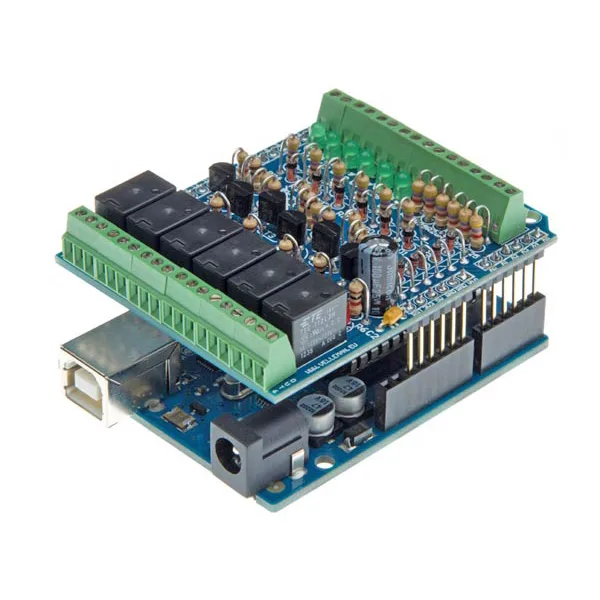
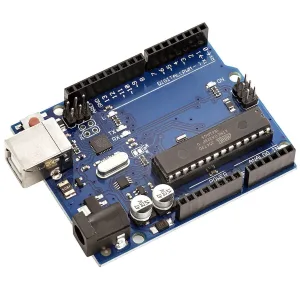
| The shield fitted on the Arduino board | |
|
|
|
| * Please note! The Arduino board must be bought separately
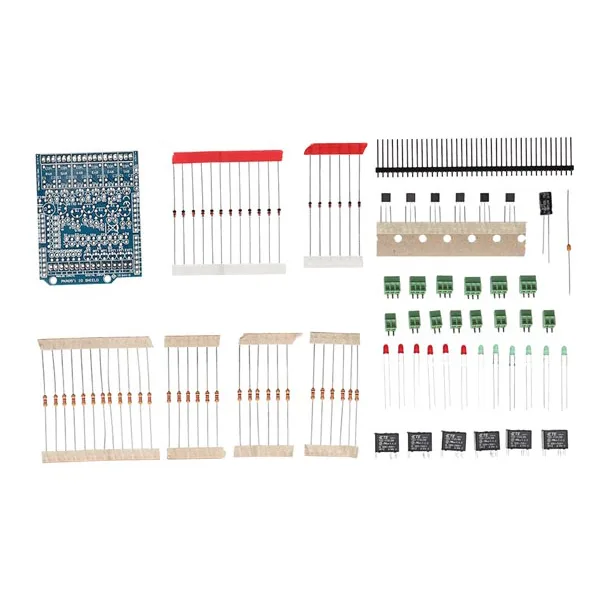
* The shield is supplied as a kit to be assembled |
|
|
Using the I/O shield
|
|
| The board can be used to connect Arduino to loads that have to be galvanically isolated from it (small electric motors, for example) and to read signals from sensors or contacts that may carry impulsive noise or voltage spikes able to damage the ATmega microcontroller without adequate protection; the relays can drive higher-power slave relays to handle loads that draw very heavy currents or work at high voltage.
Driving the relays and reading the digital signals and the voltages on the analogue inputs can be done with simple software routines or with ready-made generic firmware; you can also work from a personal computer, since the Arduino IDE includes a terminal emulator (a sort of Windows HyperTerminal) that allows serial data to be sent to and received from the board, and therefore the relays and the inputs to be driven straight from the PC. By sending over the serial link (set to 9,600, 8, N, 1, that is 9,600 bps, 8 bits, no parity and one stop bit) the command O followed by the channel number, the corresponding relay is switched; for example, with O2 relay 2 is switched. The outputs are designed to work in bistable (toggle) mode, so every command inverts the state of the relevant relay. With the command Ix (where x is the channel number) you ask for the state of a digital input, while with Ax you query an analogue input. For every command the Arduino module replies to the terminal emulator with a message giving the state of the output produced by that command, or the state of the input the command referred to. For example, giving the command O2 you may get “Out 2 = 1” . Likewise, for the inputs you can get messages such as “In 3 = 0” for a digital input, or Analog 1=126 for an analogue one; in the latter case the value shown after the equals sign is the corresponding A/D converter reading. You can also manage the I/O by loading the FIRMATA firmware into the Arduino microcontroller, which can be downloaded from the web pages http://arduino.cc/en/Reference/Firmata or http://firmata.org/wiki/Main_Page . With it you can drive the inputs and the outputs directly from a graphical interface, thanks to Processing; this is a Java-based, open-source programming language that we covered in the fifth part of our Arduino course, published in issue number 151 (November 2010). Processing is a language that lets you build a great many applications (sketches with Arduino) and in this case we can use it to run the firmata sketch, which is found among the examples in the Arduino IDE and which we will use to manage the inputs and the relays on our board. This sketch needs to be modified slightly, simply to “tell” Arduino which pins are connected to the outputs and which to the inputs; after that everything will work without difficulty. |
|
| The Processing language | |
| It is a programming language based on Java , which lets you develop all kinds of applications such as games, animations and interactive content. Being based on Java, it inherits its syntax, its commands and its object-oriented programming paradigm in full; it also provides many high-level functions for handling graphics and multimedia easily. It is distributed under an Open Source licence and is supported by the operating systems GNU / Linux , Mac OS X and Windows. The package, which can be downloaded free of charge from the official site http://processing.org, provides an integrated development environment (IDE), and the various creations (sketches) are organised in a sketchbook and can be exported as Java applets. The features of Processing can be extended with additional libraries: for example, in Processing you can use Serial, TCP/IP, UDP, RDP and OSC communication protocols, and in this way drive a multitude of external hardware applications. The Arduino software development environment itself is derived from Processing, with which it shares both its structure and its programming language. |
|
|
Features
|
|
|
|
| Technical specifications | |
|
|
|
Download
|
|
You may also like…
-
 Arduino
 -
 Arduino
 -
 Wrenches & screwdrivers
Related products
-
 Arduino
 -
 Control electronics
 -
 Arduino compatible
 -
 Displays
 -
 Arduino compatible
 -
 Development systems
 -
 Arduino
 -
Sale!
 Arduino compatible