
RTC Shield for Raspberry and Arduino
SKU 7100-FT1254MEAN 8219671076784Item type: Kit, Shields & add-onsArduino, Arduino compatible, Raspberry Pi
Description
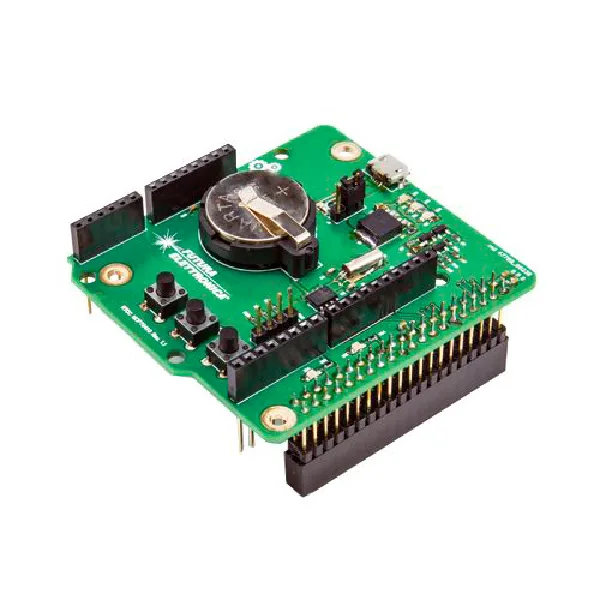
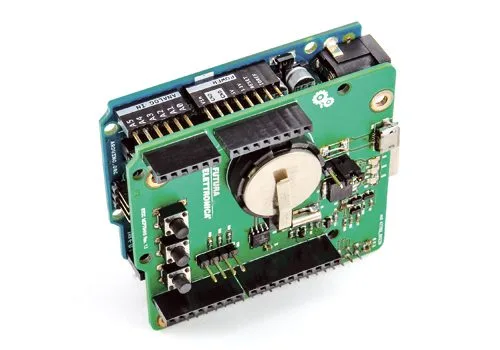
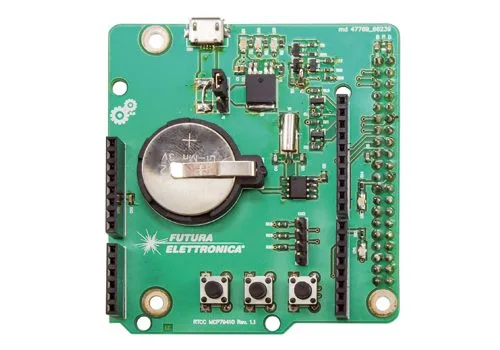
New Real Time Clock shield, compatible with both an Arduino Uno R3 board and a Raspberry Pi 2 / 3B / 3B+. Particularly suitable for all those applications that require time information, which is obtained locally through circuits called RTC (Real Time Clock) or RTCC (Real Time Clock Calendar); among these are clock radios, staff access recording systems, timed on/off systems, etc. The RTCC in this shield is based on the MCP79410 IC, which provides: configuration of hours, minutes, and seconds in both 24h and 12h (AM/PM) formats; configuration of day, month, year, and day of the week; automatic leap year management; 32.768 kHz oscillator; internal digital calibration/adjustment with ±1ppm resolution (maximum range ±129ppm); two programmable alarms; TimeStamp on both power-up and power-down; 64 bytes of buffered SRAM memory; 128 bytes of EEPROM memory with the possibility of page writing 8 bytes at a time; 8 bytes of protected EEPROM memory, to write to which (only one byte at a time) an unlock sequence must be performed; I2C communication interface up to 400 kHz.
The board can also be set to turn on Arduino or Raspberry Pi at a specific time.
N.B. Arduino and Raspberry Pi are not included.
Library for MCP79410
The library allows you to configure and manage the MCP79410 IC and is divided into three files; the first contains the functions developed for the occasion and has the .cpp extension (we called it MCP79410.cpp). The second has the .h extension and contains the function declarations of the previous one plus all the necessary variables and data structures (MCP79410.h). The third (keywords.txt) is a text file containing the keywords of the public functions to be used in Arduino sketches. All these must be grouped under a common folder, inside the Arduino IDE installation folder, named MCP79410. This way, the library will appear in the Arduino IDE under the menu item Sketch>Include Library. So assuming the Arduino IDE is installed under C:Program Files (x86)Arduino, our library must be saved in the following path: C:Program Files (x86)ArduinolibrariesMCP79410. In addition to the library files, it is customary to add a folder with example sketches: in our case we created the sub-folder Examples ? MCP79410_SAdvancedSettings which contains the files of our sketch that allow us to configure the MCP79410 registers.
Sketch
The sketch is divided into six files, the main one being “MCP79410_AdvancedSettings.ino”, so double-clicking on it opens the Arduino IDE and all associated files. The sketch files are:
- MCP79410_AdvancedSettings > Main file containing the “setup()” and “loop()” functions typical of an Arduino sketch, as well as variable declarations, string constants, time constants, state machine declarations, etc.;
- DigitalInput > File for managing digital inputs, i.e., buttons P1, P2, and P3;
- DigitalOutput > File for managing digital outputs (LED D4 and the “ForceON” output);
- RTCC_Management > File for managing the MCP79410 IC and its configuration;
- RTCC_Settings > File for programming the MCP79410 TimeKeeper IC and alarms;
- TimersInt > File for managing the interrupt for timer management.
Documentation and useful links
You may also like…
-
 Arduino
 -
 Arduino
 -
 Raspberry Pi
 -
 Raspberry Pi
Related products
-
 Arduino
 -
 Control electronics
 -
 Arduino compatible
 -
 Displays
 -
 Arduino compatible
 -
 Development systems
 -
 Arduino
 -
Sale!
 Arduino compatible